The Onboarding Form
To begin onboarding as a Brand Partner, you must first submit a Brand Onboarding Form. The form is a quick, 3-page submission which provides us with everything we need to build your Brand Partner Page on the website.
Open the Brand Onboarding FormWhat you'll need
Have the following information ready before opening the form:
- Brand Name
- Primary Contact Details - first name, last name, email address, and telephone number
- Brand Website and Social Media Handles - the links you provide will appear on your Brand Partner Page
- Page Description - a brief description of your brand which will appear at the top of your Partner Page. Supports formatting including bold, bullet points, numbered lists, and more. Images are supported but not recommended within the description.
- Brand Logo - should be square dimensions (640×640) for the full logo to be visible on our Brand Partners page
- Page Images - at least one image is required, displayed in landscape orientation (1500×1000). You can upload up to 3 images in total on your partner page.
Video walkthrough: brand onboarding form
The video below walks through how to complete the Brand Onboarding Form, from start to finish:
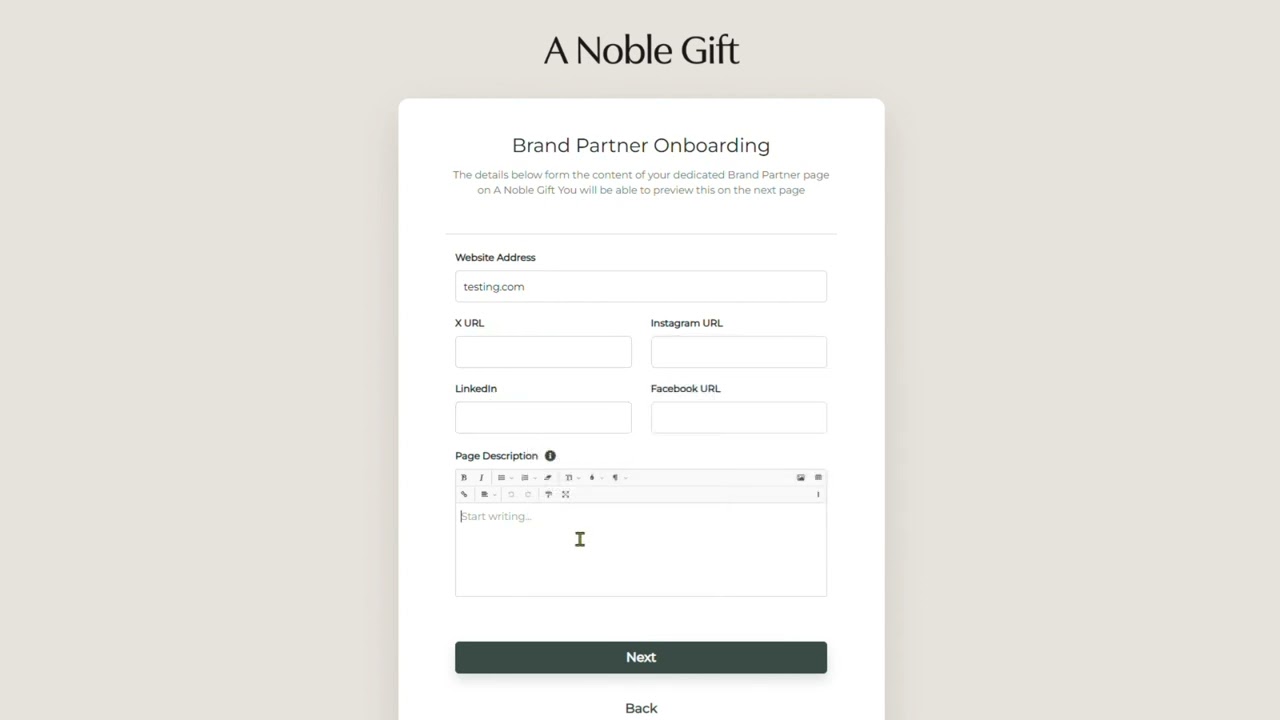
Completing the Brand Onboarding Form - start to finish
Passing the form to another team member
Onboarding is rarely a one-person job, and it doesn't need to be. If you reach a point in the form where someone else is better placed to take over (say, marketing has the brand details covered but design owns the imagery), you can hand things across without losing a single field.
Once you move beyond page 1, everything you've entered is saved automatically under the form's URL. That means the link itself carries your progress - simply pass it on, and whoever picks it up next will see everything you've completed so far, ready to carry on from where you left off.
For example, if you've completed page 1 but need someone else to add the description and images, your link would look something like this:
https://anoblegift.com/?brand_onboarding&brand_id=2a0ea78110c16fa59328a891ee39ef75&page=4
Note: the above is an example link only and will not work.
Should you require any assistance completing the form, please contact us below and we'd be more than happy to help.
Account Approval
After you submit
Once you have filled out the Onboarding Form, and submitted, you will receive a confirmation email letting you know we've received your onboarding request and will be in touch shortly with an update.
Our review process
At this point, our team will review your Onboarding Form. The review includes:
- Compliance checks - verifying your brand details and ensuring your Brand Page content is accurate
- Image review - confirming that uploaded images meet the appropriate guidelines
- Link verification - checking that submitted website and social media links are valid
If we require anything further from you, we will be in touch before your account is approved, so you won't be left waiting without knowing why.
Please note, Brand accounts are only approved after your agreement has been signed.
Once your account is approved
Once your account has been approved by the A Noble Gift team, you will receive an email confirmation with instructions to set up your VMS account, our partner portal where you can manage your Partner Page and Gifts.
Once your account is active, take a look at our guide to get up and running: Getting started with uploading Gifts →
Still need help?
Can't find what you're looking for? Get in touch and we'll get back to you.